Multi-currency and exchange rates
If every charge comes in one currency, SadAnalytics just uses it. If you take payments in more than one, SadAnalytics detects that automatically and converts everything to a single display currency for reporting. Multi-currency reporting is part of the free plugin.
One display currency
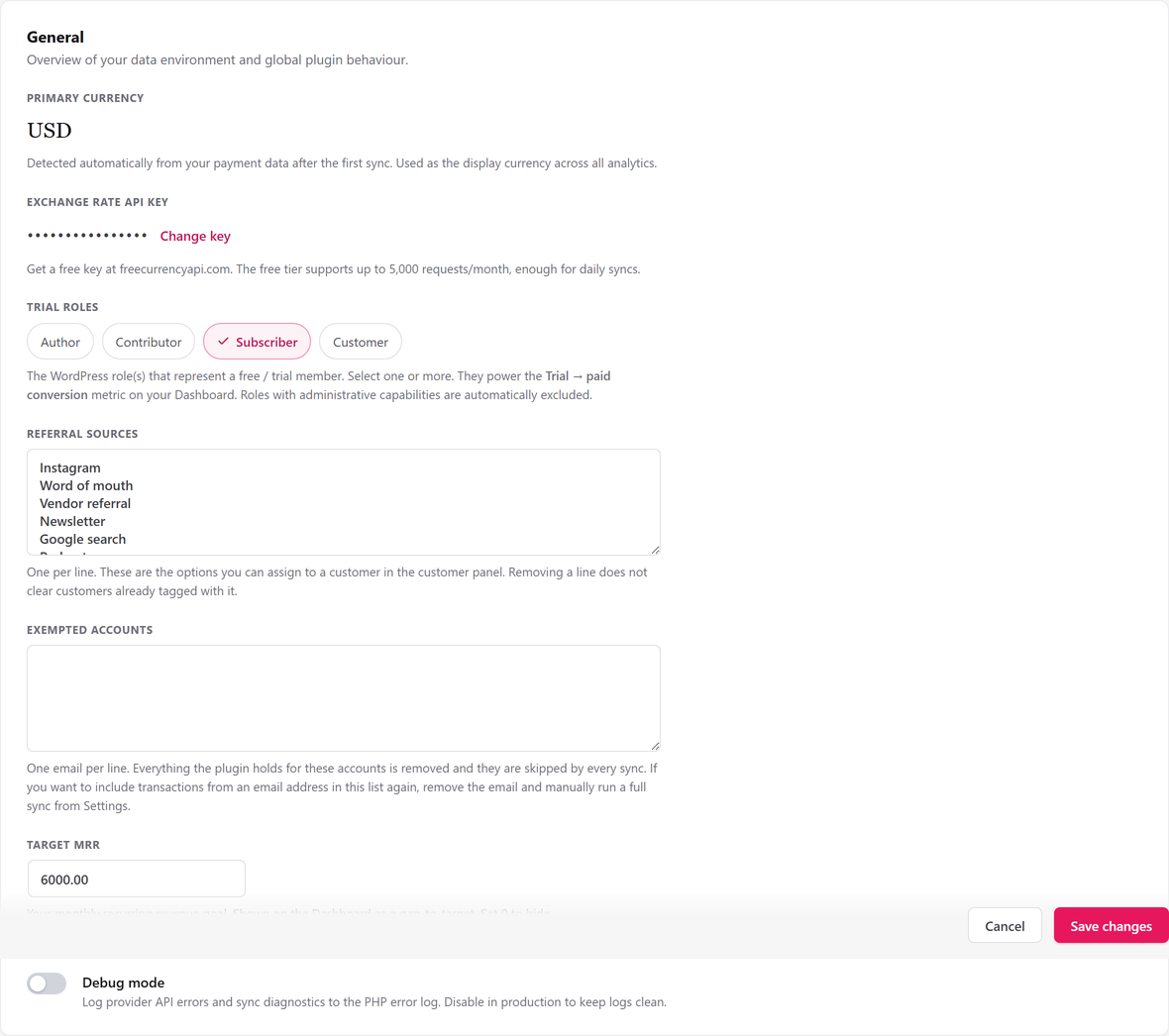
After your first sync, SadAnalytics counts your payments by currency (or your subscriptions, if you have no payments yet) and treats the most common one as your Primary currency. Every dashboard figure, report and total is shown in this one currency. It falls back to USD if nothing has been detected yet.
The exchange-rate API key
The Exchange rate API key field appears on Settings, General only once SadAnalytics has seen more than one currency. Get a free key from freecurrencyapi.com (its free tier is enough for daily syncs) and paste it in.
When you save a new key, SadAnalytics fetches rates straight away and recalculates your figures; the save message adds "Exchange rates updated; your figures are being recalculated." If the fetch fails, it adds "Exchange rates could not be fetched:" and the reason instead, and the sync waits an hour before trying that key again, or a day if the service rejected the key.
The key is encrypted before it is stored and shown back to you only as a masked row afterward. Leaving the field blank on a later save keeps whatever key you already have.
How conversion works
During syncs, rates are fetched at most once a day, all currencies in one request against your primary currency, and cached. Every amount not already in your primary currency is divided by its cached rate to convert it. If SadAnalytics has no positive rate for a currency (no key saved yet, or that currency has not been fetched), amounts in it are left out of totals rather than guessed at. On reports, a note names the currencies left out; on the Dashboard, a notice says how many subscriptions are left out of MRR.
Zero-decimal currencies
Most currencies are stored and shown with 2 decimal places. A short list of currencies that do not use decimal subunits are stored and shown in whole units instead:
- JPY
- KRW
- VND
- BIF
- CLP
- DJF
- GNF
- KMF
- MGA
- PYG
- RWF
- UGX
- VUV
- XAF
- XOF
- XPF
A handful of currencies show a symbol: $ for USD, £ for GBP, € for EUR, CA$ for CAD, AU$ for AUD, ¥ for JPY, ₹ for INR, and CHF for CHF. Any other currency is shown with its code in front of the amount.
Per-currency totals on reports
On a report, each currency you have taken payments in is totaled on its own first, and those totals are then converted into your primary currency for the combined figure at the top. Older monthly MRR snapshots convert using today's cached rates, not the rate that applied at the time.
