Everything SadAnalytics does, and which half is free.
Free is everything SadAnalytics can know from Stripe alone. SadAnalytics Pro, coming soon, will add everything beyond Stripe, a way to get your data out, and control over who can see SadAnalytics.
| Feature | Free | SadAnalytics Pro (coming soon) |
|---|---|---|
| Dashboard with comparisons and history | ✓ | ✓ |
| MRR trend and MRR movement | ✓ | ✓ |
| Cohort retention | ✓ | ✓ |
| Revenue report | ✓ | ✓ |
| Reactivations report | ✓ | ✓ |
| Payment Recovery report | ✓ | ✓ |
| Trial Conversions report | ✓ | ✓ |
| Customers, Subscriptions and Transactions lists with filters | ✓ | ✓ |
| Customer drawer with WordPress user match | ✓ | ✓ |
| Detected subscriptions | ✓ | ✓ |
| Weekly email digest | ✓ | ✓ |
| Multi-currency | ✓ | ✓ |
| Exempted accounts | ✓ | ✓ |
| Target MRR | ✓ | ✓ |
| Referral source | ✓ | ✓ |
| GDPR export and erase | ✓ | ✓ |
| Diagnostics | ✓ | ✓ |
| Paid Memberships Pro connector | No | ✓ |
| Manual payments with mark-paid | No | ✓ |
| CSV import of manual payments | No | ✓ |
| CSV export on every list | No | ✓ |
| Upcoming Payments | No | ✓ |
| Access control: who can see SadAnalytics, with view-only access | No | ✓ |
A dashboard that compares itself
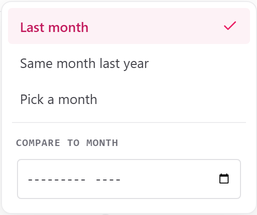
MRR, subscriptions, customers, lifetime value and at-risk MRR each show their change against last month, the same month last year, or any month you pick. MRR, subscriptions and customers are rebuilt from your Stripe history. The others build their history from your first sync.
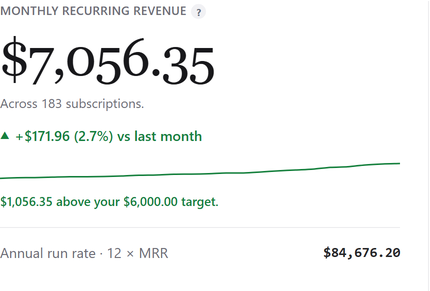
Real MRR
Annual plans are spread into a monthly figure; trials count when their period is paid; paused subscriptions are shown apart. A subscription whose payment failed stays in while the retries run, and its money also shows separately as at-risk MRR.
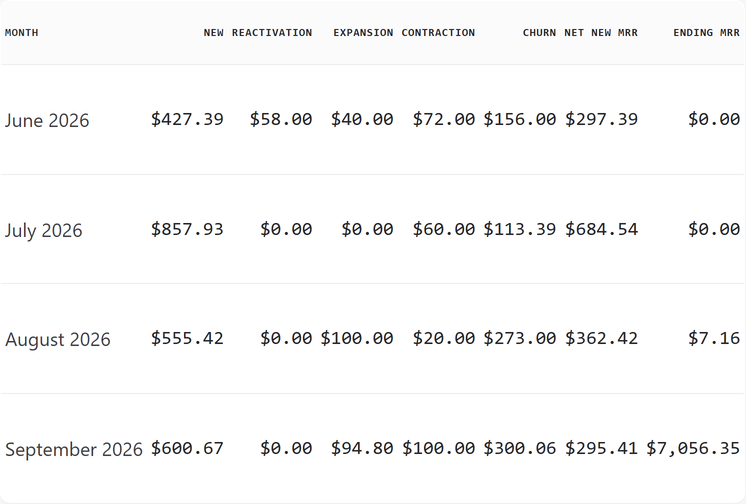
MRR trend and movement
Twelve months of MRR, and for any period the reasons it moved: new, expansion, contraction, churn and reactivation.
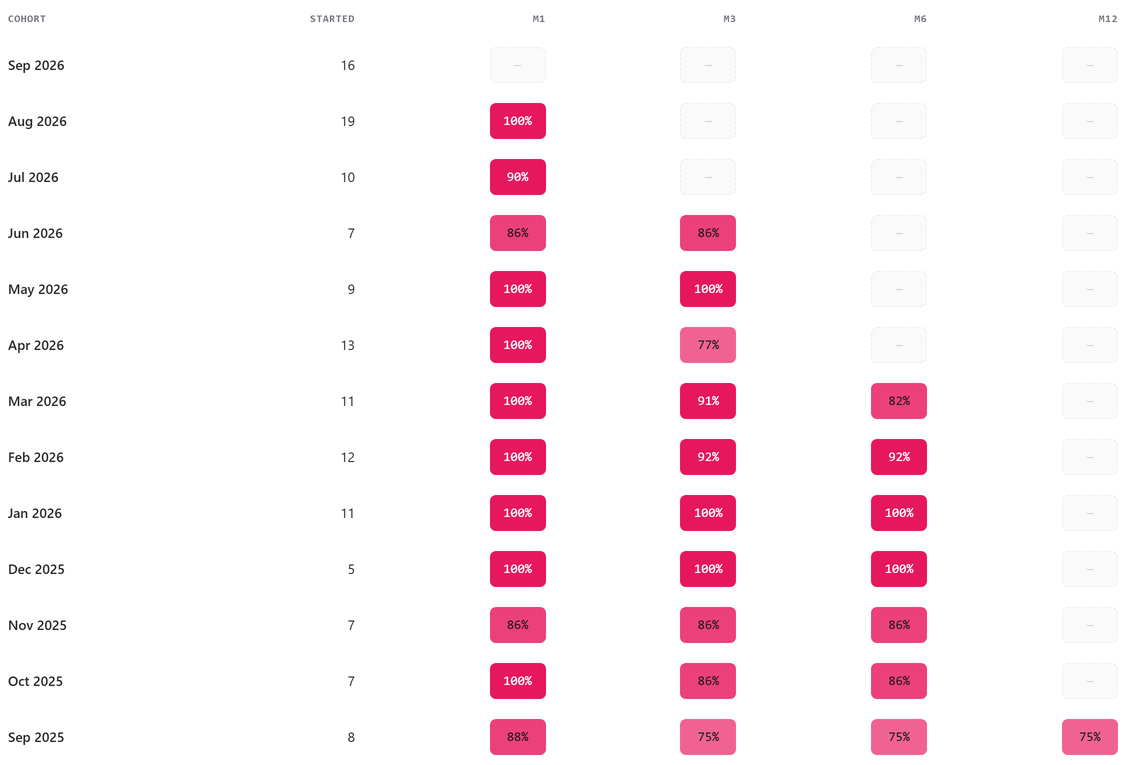
Cohort retention
Each month's new customers followed at one, three, six and twelve months, as a heatmap you can read in a glance.
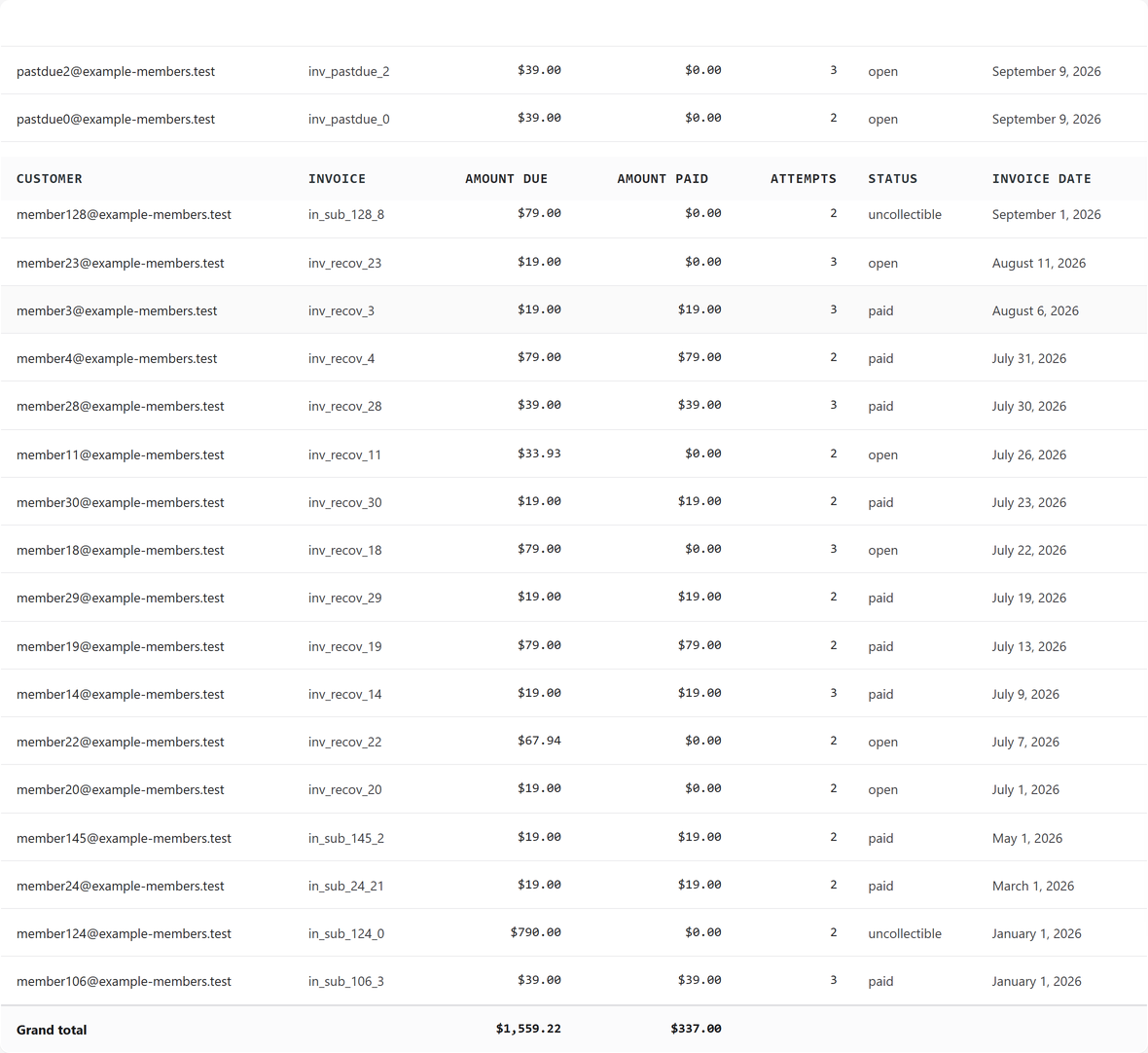
Payment Recovery
Every invoice that needed a retry, how many attempts it took, whether the money came back, and how much is not yet recovered.
Reactivations and trial conversions
Customers who left and came back, and trials that turned into paying customers, each as a report with its own summary.

Lists with real filters
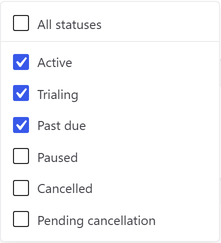
Customers, Subscriptions and Transactions, all searchable and sortable, each groupable by plan or source. Customers and Subscriptions let you pick several statuses at once, and Transactions can also group by month.
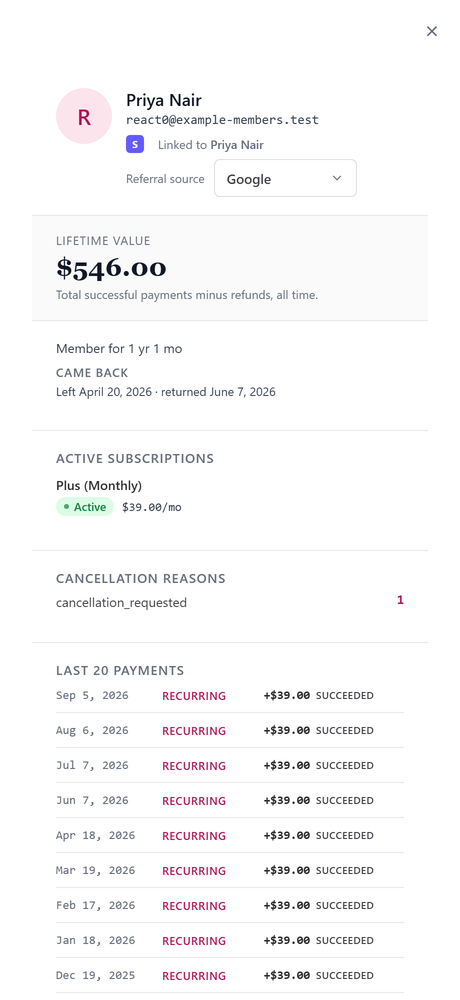
The customer drawer
One customer: their active subscriptions, their last 20 payments, the WordPress user they match, their referral source and their lifetime value.
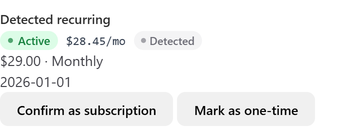
Detected subscriptions
Recurring revenue that Stripe never modeled as a subscription, found in the charges and counted, with its own badge.
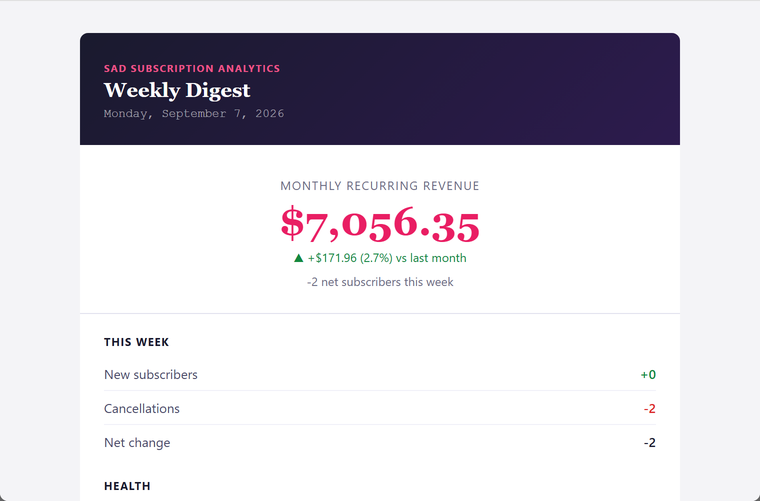
Weekly email digest
MRR, cancellations, new subscribers and retention in your inbox on the day and hour you choose.
Multi-currency
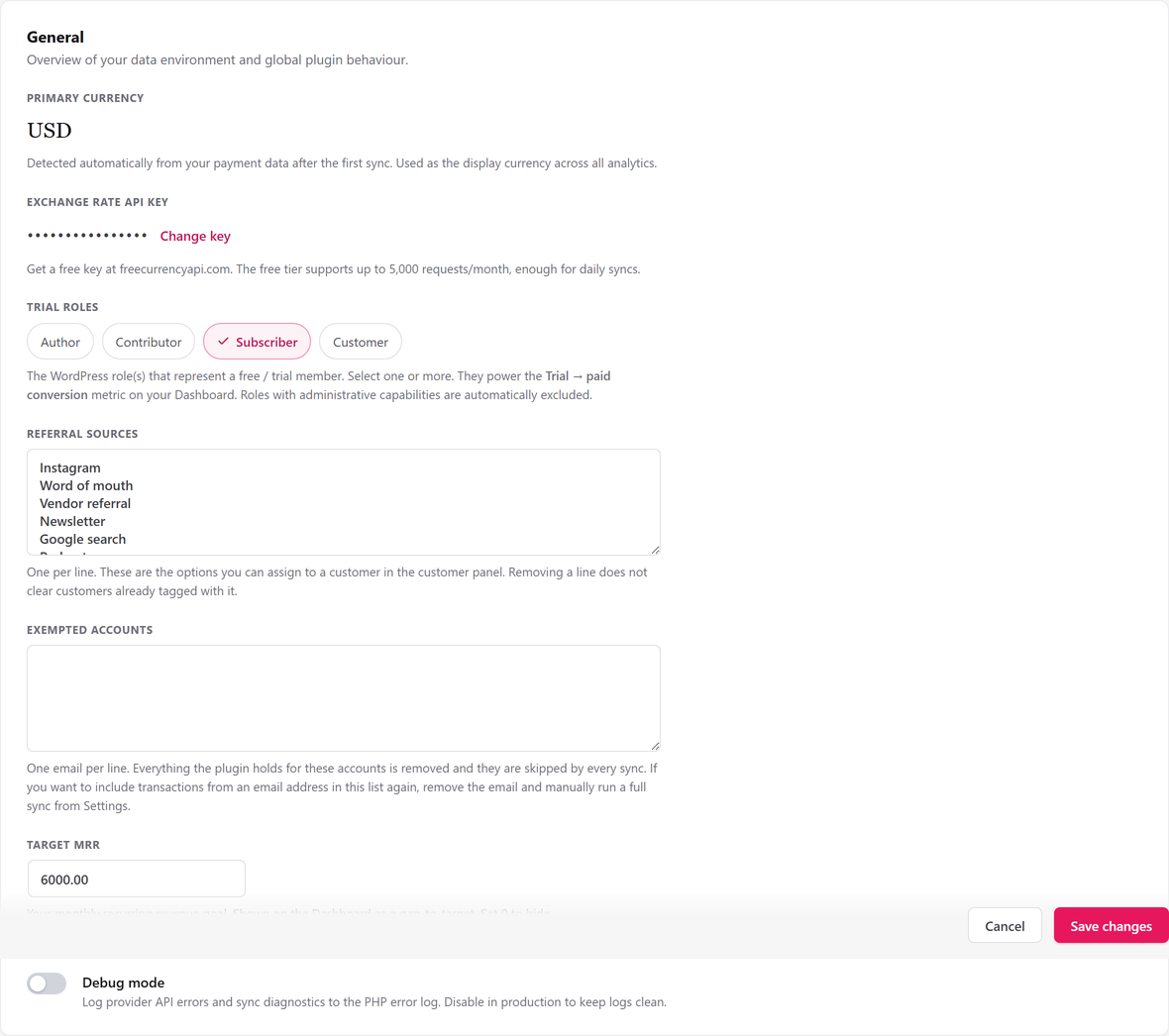
Each currency is totaled on its own. Add a free exchange-rate key and they roll up into one reporting currency; without one, other currencies are listed separately rather than converted.

Exempted accounts, target and sources
List your own test accounts so they never count, set a target MRR, and record where each customer came from.
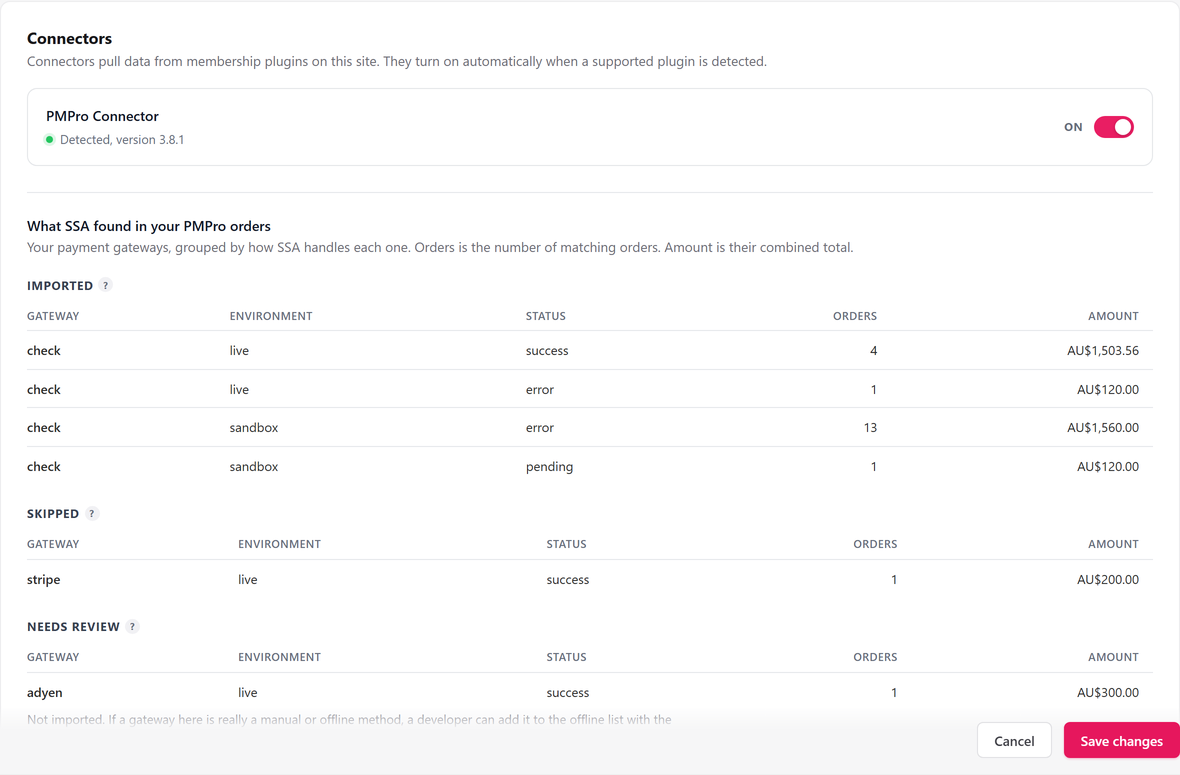
Connectors SadAnalytics Pro
Coming soon in SadAnalytics Pro: a Paid Memberships Pro connector that will import pay-by-check and no-gateway orders without any credentials. A WooCommerce Subscriptions connector is next in line.
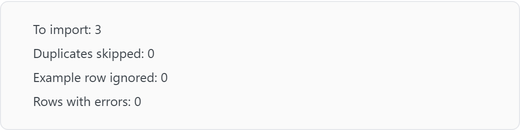
Manual payments and CSV import SadAnalytics Pro
Coming soon in SadAnalytics Pro: record bank transfers, checks and cash by hand, or import a spreadsheet with a dry run first, and they will count toward your real MRR.
CSV export SadAnalytics Pro
Coming soon in SadAnalytics Pro: every list, out as a CSV, with your filters applied.
Upcoming Payments SadAnalytics Pro
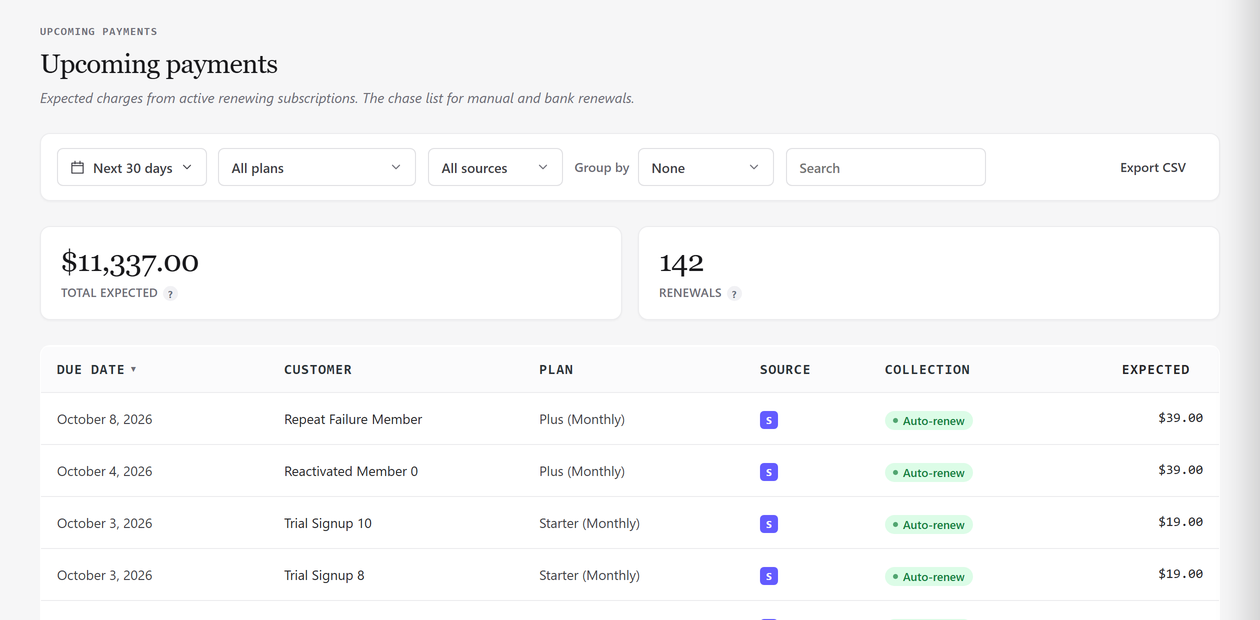
Coming soon in SadAnalytics Pro: what is due and what is overdue, with the total you can expect.
Access control SadAnalytics Pro
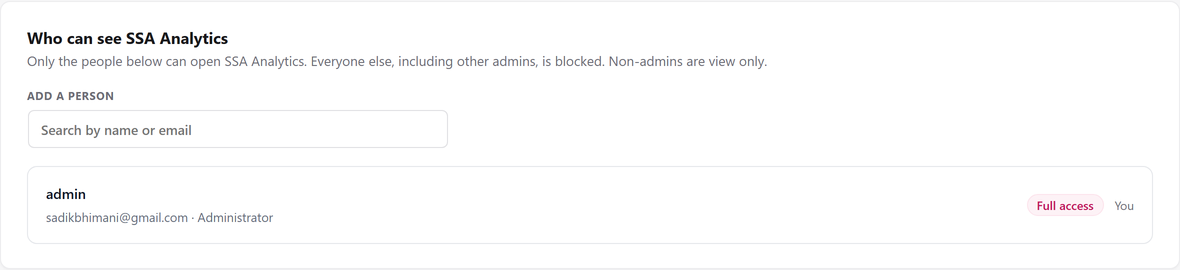
Coming soon in SadAnalytics Pro: pick the people who can see SadAnalytics, and give people who are not administrators view-only access. Without Pro, every administrator sees SadAnalytics and nobody else can.
See your real recurring revenue.
The free plugin is in review at WordPress.org. SadAnalytics Pro is coming soon. Want to know when it is out? Email [email protected].