Manual payments
In SadAnalytics Pro, the Manual Payments page is where you will record revenue no payment processor reports: bank transfers, checks, invoiced customers. This page describes how it works, so you know what to expect.
The Manual Payments page
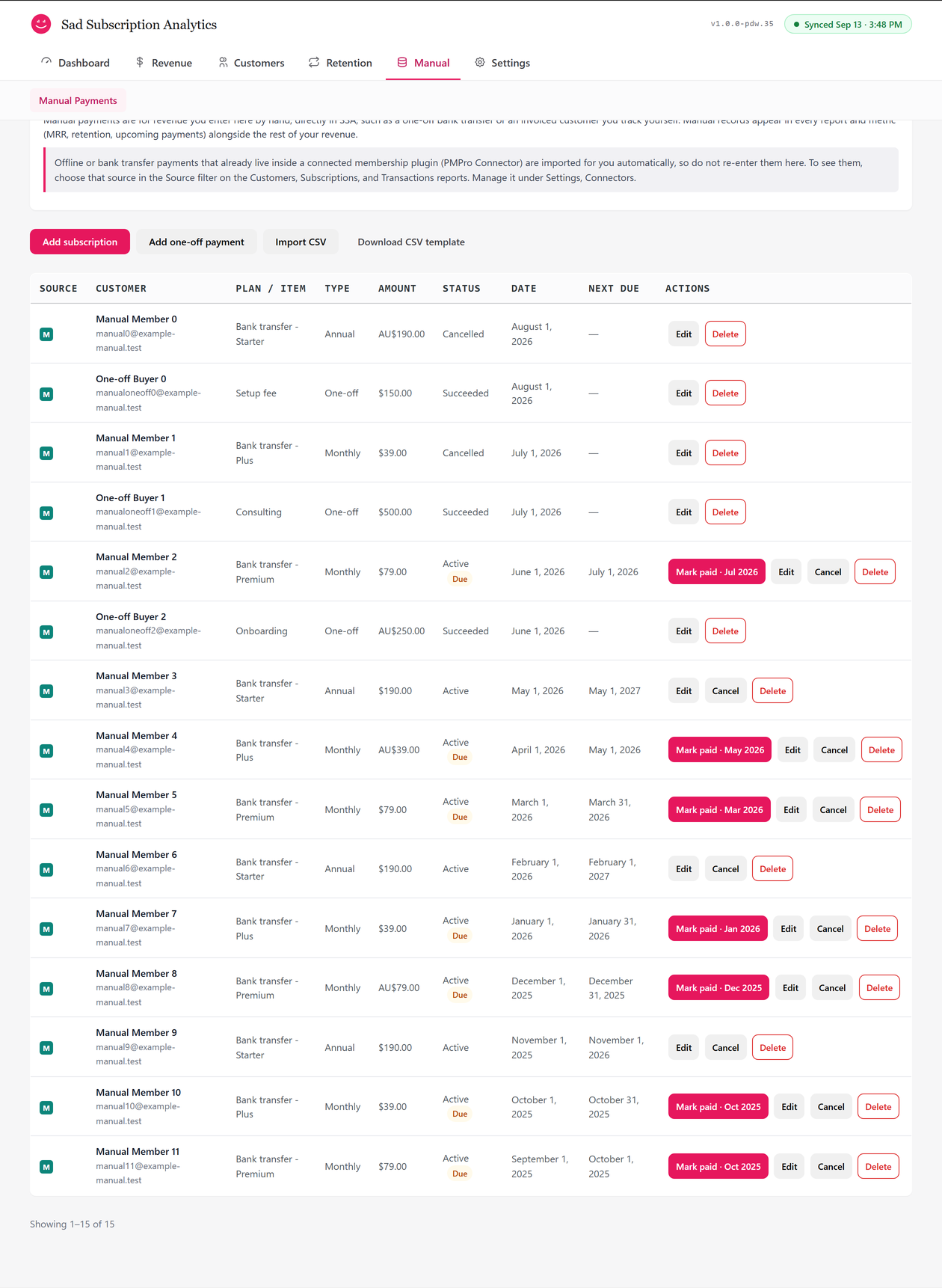
Manual Payments sits under its own tab in SadAnalytics' navigation. A toolbar offers four actions: Add subscription, Add one-off payment, Import CSV, and Download CSV template.
Every record you add here becomes an ordinary SadAnalytics row, counted in MRR, churn, cohorts and every report exactly like a payment from a connected processor.
Adding a subscription
The Add subscription modal records a recurring charge you collect yourself.
| Field | What it does | Default |
|---|---|---|
| Customer name | Optional; blank never overwrites a name already on file for that email. | |
| Customer email | Required; matches or creates the manual customer record. | |
| Plan name | Pick an existing plan or choose "+ Add a new plan" and type one. | |
| Amount per period | The charge for one billing period, in major units (for example 19.99, not cents). | |
| Currency | A 3-letter code. | The currency most of your payments use (USD until a sync has worked it out) |
| Billing interval | Monthly, Quarterly, Half-yearly, Annual, or Custom (set days). | Monthly |
| Start date | The next renewal is the start date plus one interval. | Today (UTC) |
| Status | Active or Cancelled. If you pick Cancelled, you are asked for the date it ended: today or earlier in UTC, and not before the start date. | Active |
Adding a subscription does not check for duplicates: saving the same details twice creates two subscriptions.
Adding a one-off payment
The Add one-off payment modal records a single charge with no renewal.
| Field | What it does | Default |
|---|---|---|
| Customer name | Optional. | |
| Customer email | Required. | |
| Item / description | Pick an existing item or add a new one. | |
| Amount | The payment amount in major units. | |
| Currency | A 3-letter code. | The currency most of your payments use (USD until a sync has worked it out) |
| Payment date | The date the payment was made. | Today (UTC) |
Unlike a subscription, a one-off payment is checked against your existing records: an exact match on customer, amount, currency, date and item is skipped rather than duplicated.
Editing a record
Editing a subscription lets you fix the customer name, plan name, amount, currency, interval or start date. Edit never changes the status: use Cancel or Undo cancellation for that. The customer's email cannot be changed once a record is created. The next renewal date only recalculates when the start date or interval actually changed, so a small correction never resets progress a Mark paid click already made.
Marking a renewal paid
Mark paid appears on any active subscription whose next renewal is due today or earlier. It records a payment dated today for the subscription's amount, and moves the next renewal forward by one interval, counted from the date that was due rather than from today, so the schedule stays on its original cadence even when a renewal is confirmed late.
Cancelling and deleting
How manual rows appear in reports
Manual records show up as an ordinary source named Manual everywhere SadAnalytics lists a source: Customers, Subscriptions, Transactions and Upcoming Payments. An active manual subscription's renewal date appears there with a "Manual" collection badge rather than "Auto-renew".