See your real recurring revenue. Finally inside WordPress.
Sad Subscription Analytics reads your Stripe account with a read-only key and shows monthly recurring revenue, churn, lifetime value and retention in wp-admin. It works with anything that bills through Stripe, and your customer data stays in your own WordPress database.
The free plugin is in review at WordPress.org and coming soon.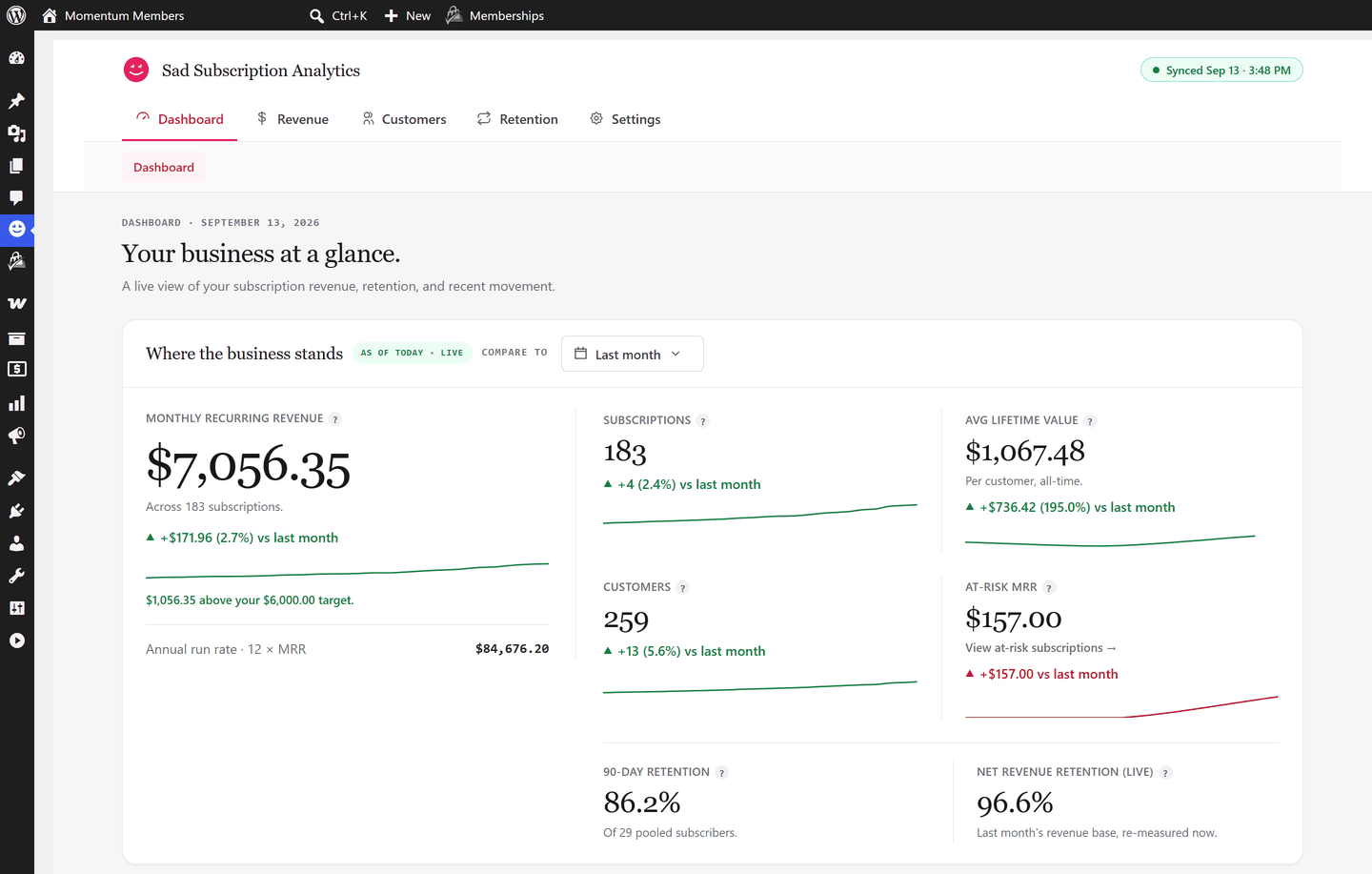
Works with anything that bills through Stripe
Sound familiar?
Your membership plugin shows a members list. That is not a revenue report.
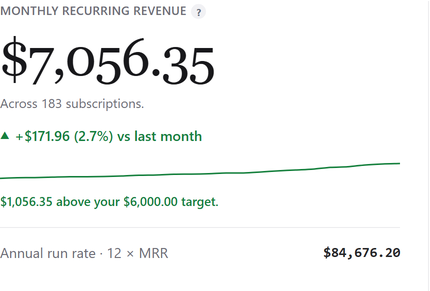
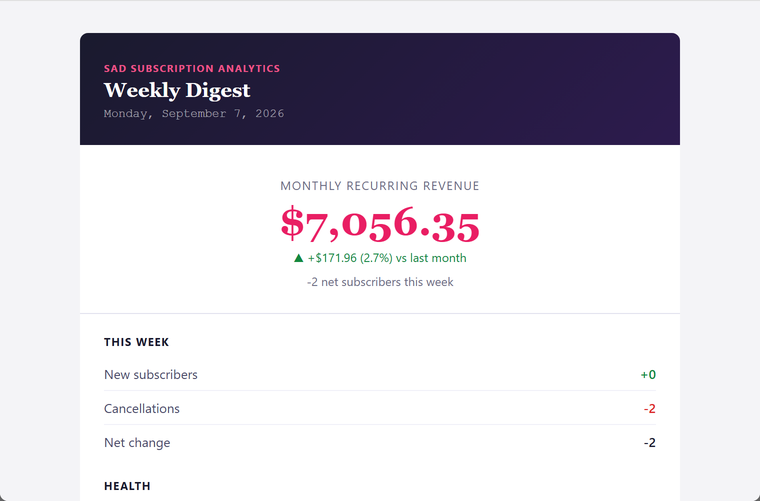
SSA shows your real monthly recurring revenue, with annual plans spread into a monthly figure, and how it moved since last month.
Stripe's home page shows one volume figure for subscriptions and one-off sales together, and its MRR charts sit in a separate Billing section, away from your WordPress members.
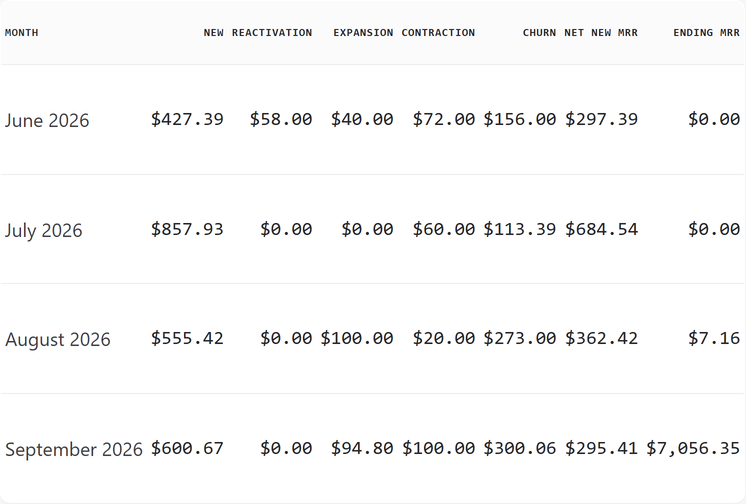
SSA separates recurring revenue from one-off sales and refunds, shows what changed (new, expansion, contraction, churn, reactivation), and puts it in wp-admin, matched to your WordPress users.
Someone who had been paying for eight months cancelled last Tuesday, and you found out by accident.
SSA shows cancellations and churn for any period you pick, retention by signup cohort, and each customer's subscriptions and recent payments in one drawer.
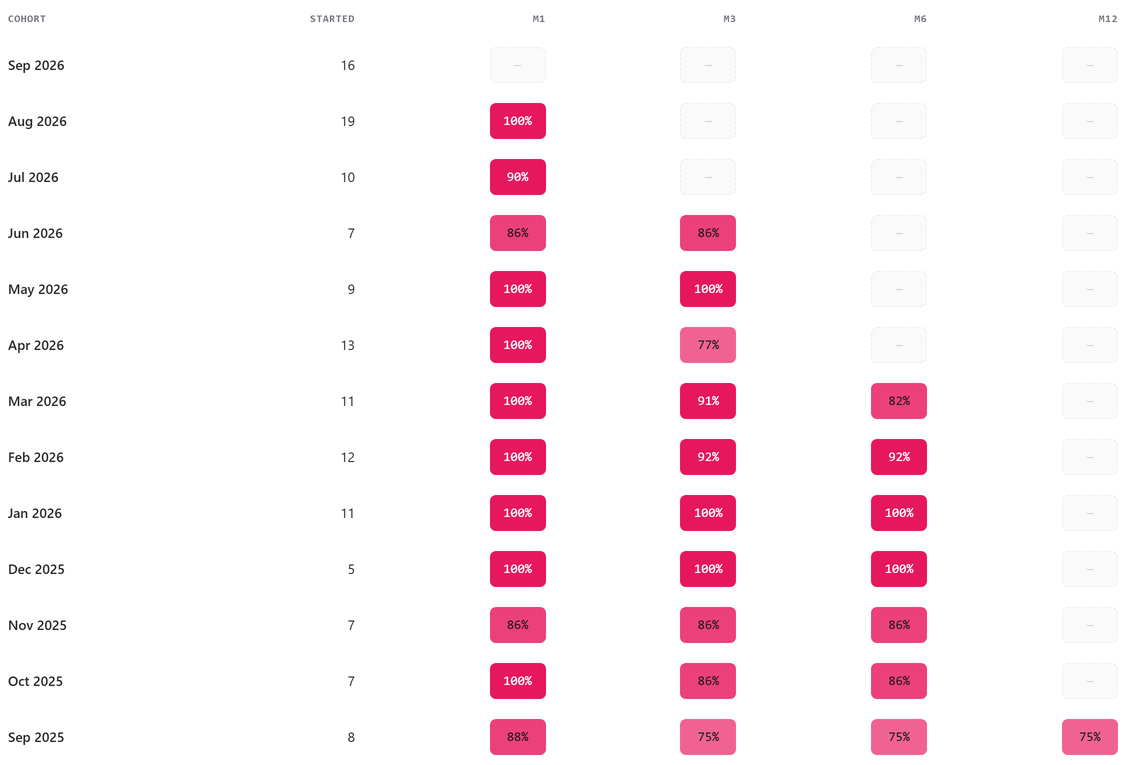
The reports your membership plugin never gave you.
Each one answers a question you already ask yourself.
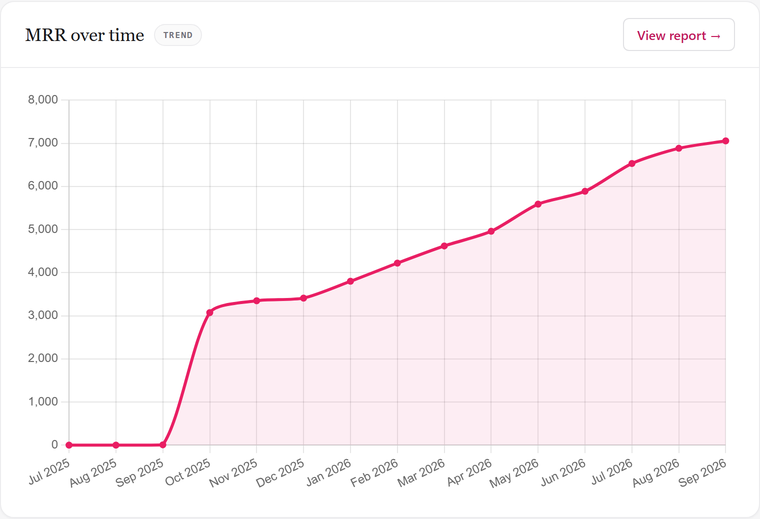
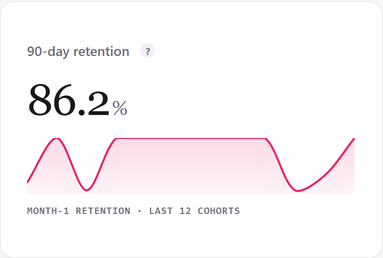
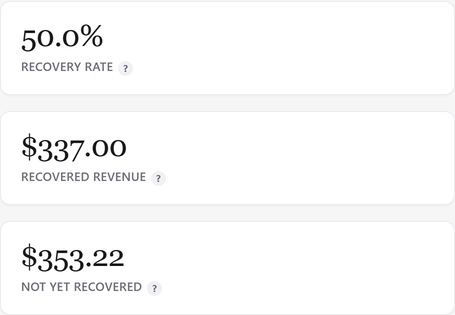
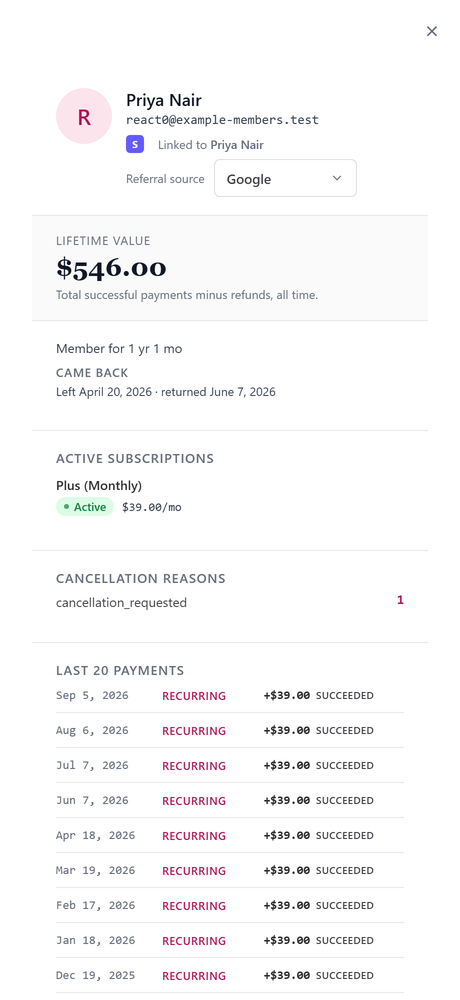
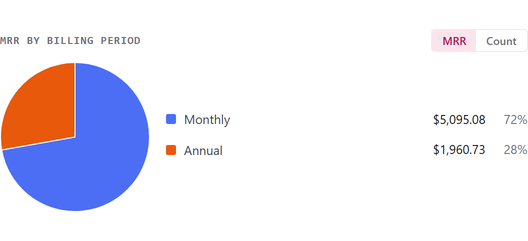
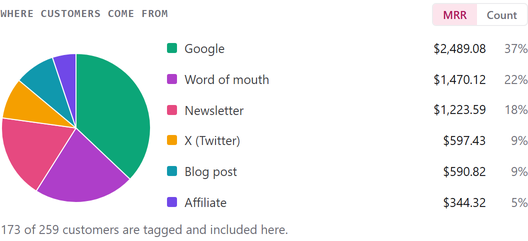
Your revenue, sliced the way you think about it.
Two more questions the dashboard answers at a glance.
Revenue hiding in plain charges.
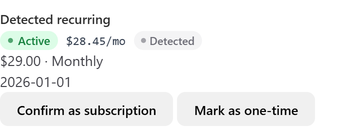
WooCommerce Subscriptions on the standard Stripe gateway does not create Stripe subscriptions, and neither does a Payment Link that charges a one-time price. Stripe sees a series of ordinary charges, so a tool that counts only Stripe subscriptions sees no recurring revenue there at all.
SSA looks at the charges themselves, finds the pattern, and counts that revenue as a detected subscription, with its own badge so you always know where a number came from.
One honest limit: a brand-new customer is detected after their third charge, because two payments are not yet a pattern.
See the money that is coming, not just what landed.
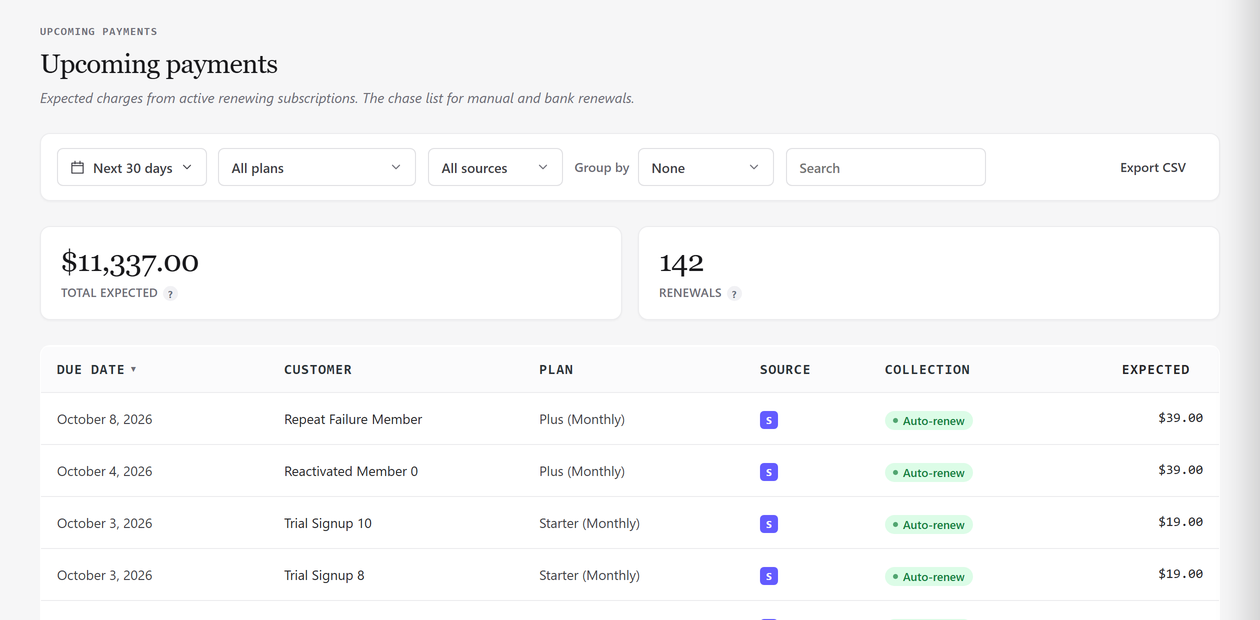
Coming soon in SSA Pro: Upcoming Payments will list every renewal due in the next 30 days (or 7, 90, or dates you pick) and every one already overdue, with the total you can expect. You will mark bank and manual renewals paid on the Manual Payments page.
It will be the chase list for revenue that does not collect itself.
Free, and Pro coming soon.
Free: complete analytics for your Stripe revenue. SSA Pro, coming soon: bring in the rest of your revenue, get your data out, chase what is due, and choose who can see SSA.
Free core
- Dashboard with comparisons and history
- MRR trend, movement and cohorts
- Revenue, Reactivations, Payment Recovery and Trial Conversions reports
- Customers, Subscriptions and Transactions with filters and a customer drawer
- Detected subscriptions
- Weekly email digest
- Multi-currency, exempted accounts, target MRR, referral source
- GDPR export and erase, diagnostics
SSA Pro (coming soon)
- Paid Memberships Pro connector
- WooCommerce Subscriptions connector, planned after launch
- Manual payments, with mark-paid and CSV import
- CSV export on every list
- Upcoming Payments
- Access control: who can see SSA, with view-only access
Planned launch price: $149 a year for one site.
SSA Pro: coming soonSet up in three steps, no developer needed.
-
1
Install the plugin
It is in review at WordPress.org. Once it is listed, go to Plugins, Add New Plugin, search for Sad Subscription Analytics, then Install Now and Activate.
-
2
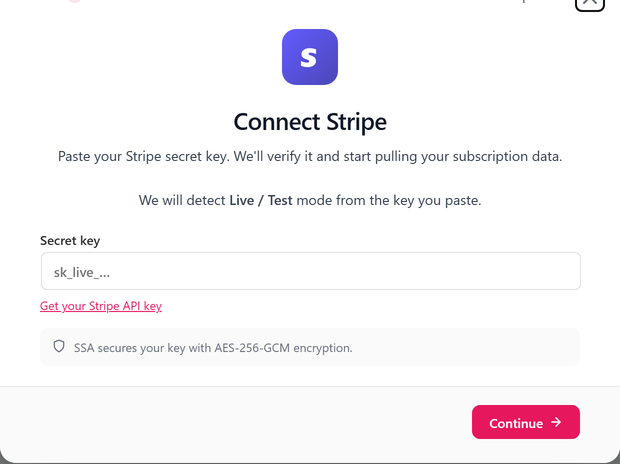
Paste a read-only Stripe key
Create a restricted key in Stripe with read access to customers, subscriptions, charges, invoices and prices (add products too if you want plan names), and paste it into the setup wizard.
-
3
Run the first sync
SSA pulls your history in the background and rebuilds every subscription. After that it syncs on the schedule you choose.

Questions worth asking.
Which membership plugins does SSA work with?
Anything that bills through Stripe: Paid Memberships Pro, WooCommerce Subscriptions on the Stripe gateway, MemberPress, WP Simple Pay, Restrict Content Pro, Stripe Payment Links. Revenue that never touches Stripe, such as bank transfers or Paid Memberships Pro's pay-by-check orders, will come in through SSA Pro, which is coming soon.
Is my Stripe data safe?
SSA only ever reads from Stripe. It never moves money or changes anything there, and with a restricted read-only key Stripe enforces that too. The copy it keeps lives in your own WordPress database on your own server.
Do I need a developer to install this?
No. Once the plugin is listed on WordPress.org, you install it, paste a key and run the sync. The setup wizard tells you the first sync "will take 2–10 minutes depending on volume", and it keeps going in the background if you close the wizard.
What will SSA Pro add?
SSA Pro is coming soon. It will add a Paid Memberships Pro connector for revenue that never touches Stripe, such as pay-by-check and no-gateway members, manual payments with CSV import and mark-paid, CSV export on every list, Upcoming Payments, and control over who can see SSA, including view-only access. A WooCommerce Subscriptions connector is planned for SSA Pro after launch. Want to know when it is out? Email [email protected].
What happens when a Pro license expires?
SSA Pro is not out yet, but here is the plan. When a license expires, Pro will keep working. Your numbers will stay live and the sync will keep running. Updates and support will stop, and the Pro actions that add, change or export data (CSV export, manual add/edit/cancel, CSV import, Mark paid, Access changes) will stay locked, with a "renew to unlock" message, until you renew. Deleting a manual record will still work.

Built by a WordPress developer who got tired of saying "I'll check Stripe and get back to you."
I have spent fifteen years building WordPress membership sites for clients. Every one of them eventually asked the same question: how much money is this site actually making each month? I could never answer it without an afternoon in spreadsheets.
SSA is what I wish I had on day one. It started on a client's membership business whose revenue was split between Stripe and bank transfers, and it now answers that question every morning.
Sadik Bhimani · Founder, Sad Subscription Analytics
More about SSASee your real recurring revenue.
The free plugin is in review at WordPress.org. SSA Pro is coming soon. Want to know when it is out? Email [email protected].