The recurring revenue report Restrict Content Pro leaves out.
When RCP bills through Stripe, it creates real Stripe subscriptions. SadAnalytics reads them with a read-only key and shows MRR, churn, retention and lifetime value inside wp-admin.
What Restrict Content Pro shows you today
Memberships, payments, customers, and reports for earnings, refunds, sign-ups and membership counts. No MRR, no churn rate, no cohort retention.
How SadAnalytics reads it
RCP creates a Stripe subscription for each recurring membership paid through Stripe. SadAnalytics reads customers, subscriptions, charges, invoices and prices from Stripe with a restricted key, spreads annual plans into a monthly figure, and matches each Stripe customer to their WordPress user by email.
Nothing is installed on the RCP side, and nothing changes in Stripe.
What you get
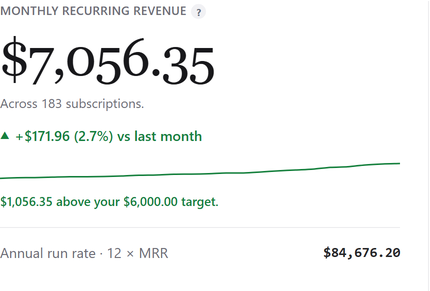
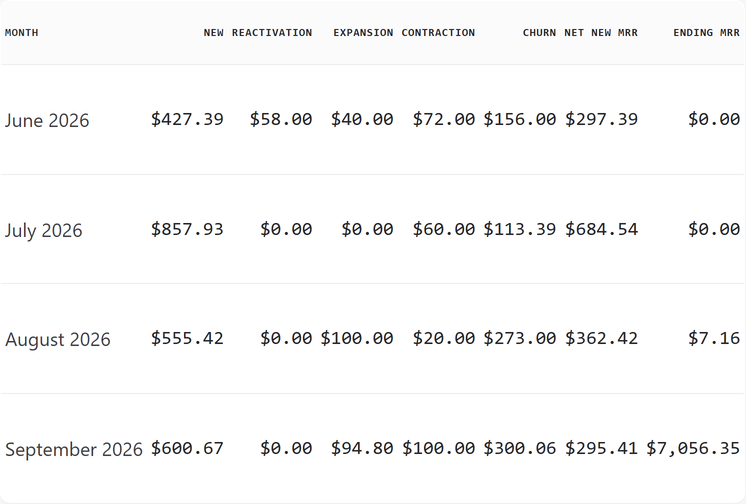
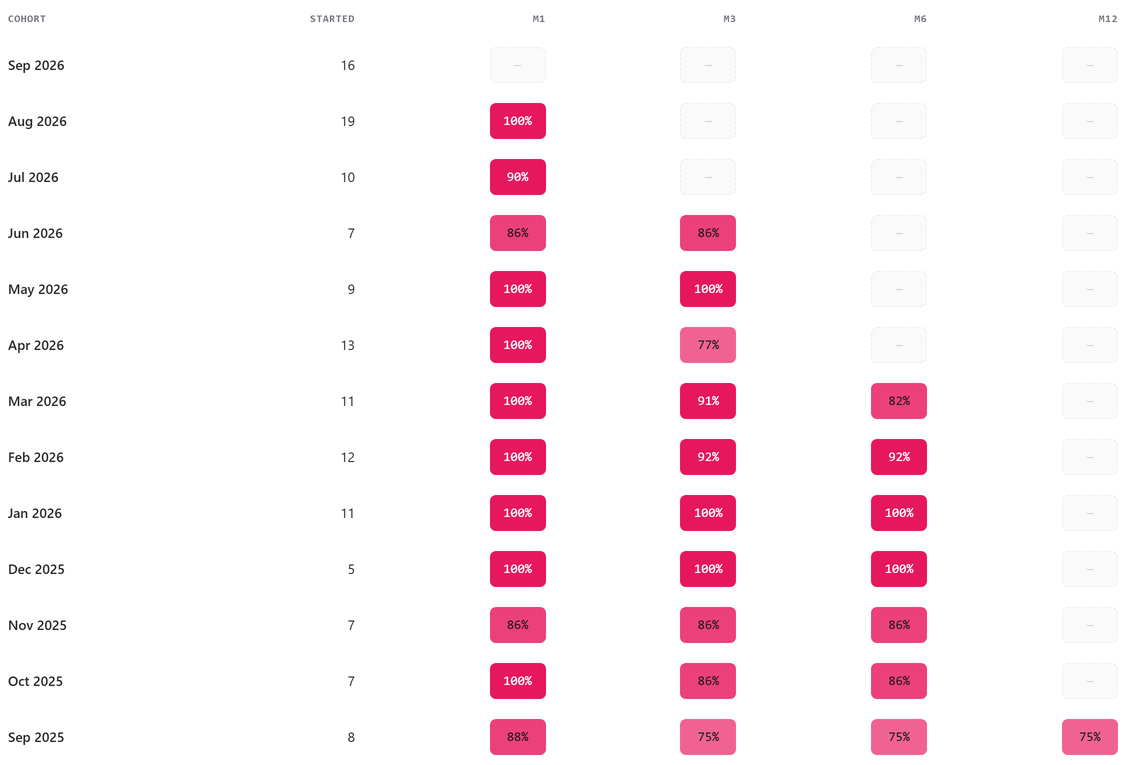
Three steps
-
1
Install the plugin
It is in review at WordPress.org. Once it is listed, go to Plugins, Add New Plugin, search for Sad Subscription Analytics, then Install Now and Activate.
-
2
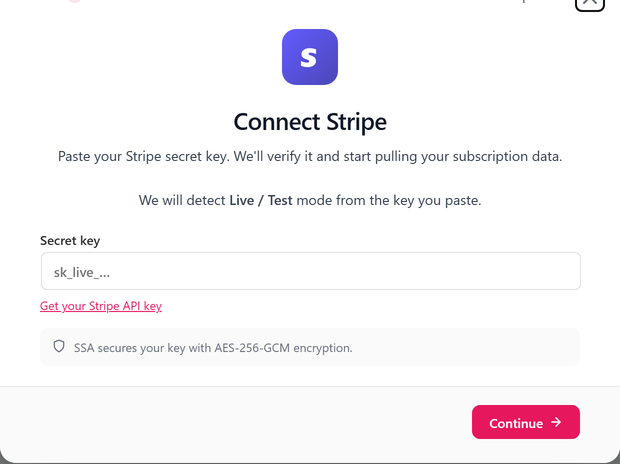
Paste a read-only Stripe key
Read access to customers, subscriptions, charges, invoices and prices. Add products too if you want plan names.
-
3
Run the first sync
It runs in the background, and your dashboard fills in as it goes.

Restrict Content Pro questions
Is this still Restrict Content Pro, or Kadence Memberships now?
Restrict Content Pro's own site now points to Kadence, where the membership plugin continues as Kadence Memberships. Nothing changes for SadAnalytics: it reads the Stripe subscriptions either one creates, so an existing RCP site and a Kadence Memberships site report the same way.
Does SadAnalytics change anything in RCP?
No. It reads Stripe only.
What about free memberships?
They have no Stripe subscription, so they do not count toward MRR. Trials that convert are counted from the day they pay.
Annual memberships?
Spread into a monthly figure.
See your real recurring revenue.
The free plugin is in review at WordPress.org. SadAnalytics Pro is coming soon. Want to know when it is out? Email [email protected].