MRR, churn and retention for your PMPro site, inside wp-admin.
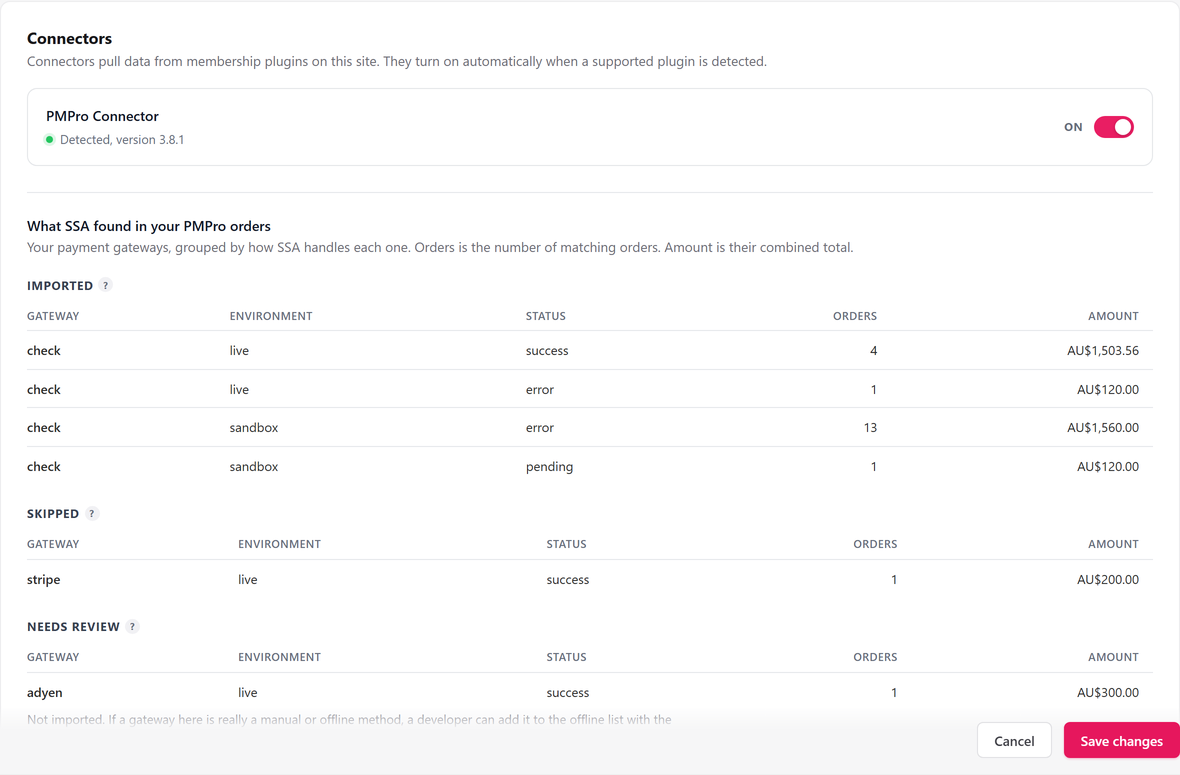
When Paid Memberships Pro bills cards through Stripe, SadAnalytics reads those subscriptions with a read-only key. Members who pay by check, or are recorded with no gateway, will come in through the Paid Memberships Pro connector in SadAnalytics Pro, which is coming soon.
What Paid Memberships Pro shows you today
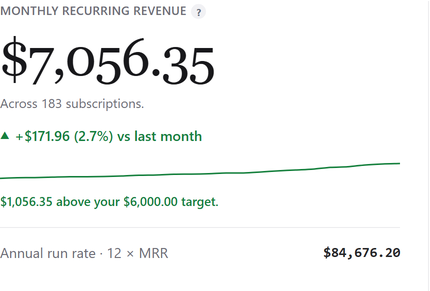
Membership levels, orders, members, and reports for sales and revenue (split into new and recurring) and for sign-ups and cancellations. No MRR, no churn rate, no retention by cohort, and no lifetime value.
How SadAnalytics reads it
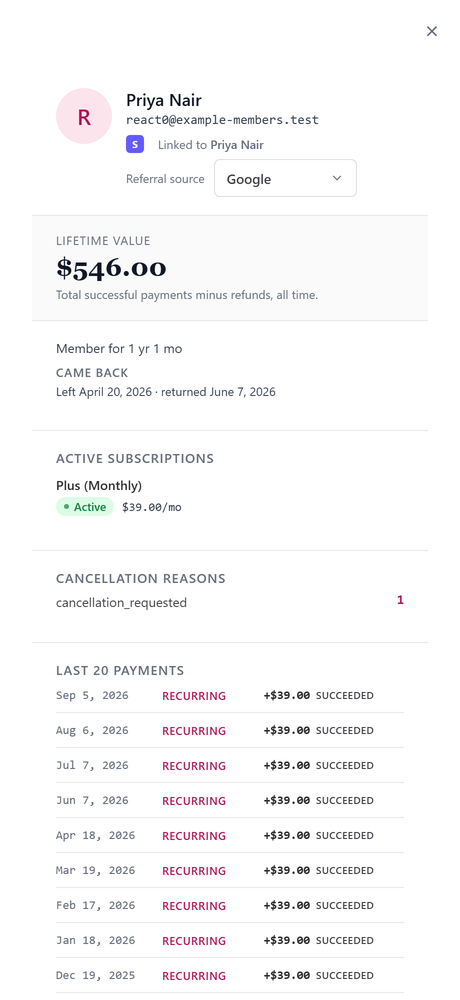
PMPro creates a Stripe subscription for each recurring card membership. SadAnalytics reads customers, subscriptions, charges, invoices and prices from Stripe with a restricted key and matches each Stripe customer to their WordPress user by email.
Pay-by-check orders and orders recorded with no gateway never reach Stripe. The free plugin tells you how many members pay that way. The Paid Memberships Pro connector in SadAnalytics Pro will detect PMPro, import those members without any credentials, and label them PMPro Offline so you can always tell the source.
What you get
Three steps
-
1
Install the plugin
It is in review at WordPress.org. Once it is listed, go to Plugins, Add New Plugin, search for Sad Subscription Analytics, then Install Now and Activate.
-
2
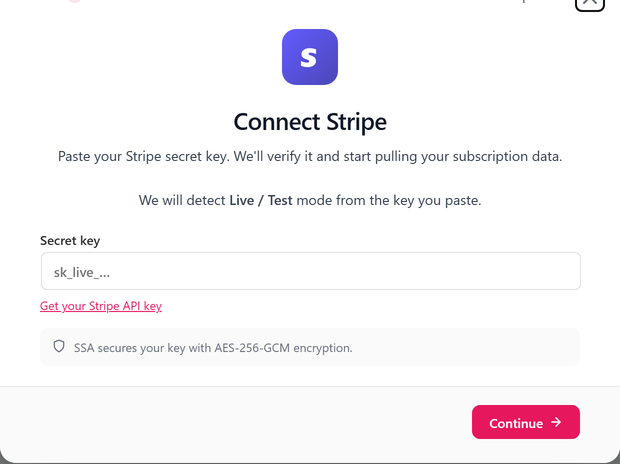
Paste a read-only Stripe key
Read access to customers, subscriptions, charges, invoices and prices. Add products too if you want plan names.
-
3
Run the first sync
It runs in the background, and your dashboard fills in as it goes.

Paid Memberships Pro questions
Does the connector need my PMPro API keys?
No. It will read PMPro's own tables on your site.
Which PMPro orders will be imported?
Orders on the pay-by-check gateway and orders recorded with no gateway. Stripe orders already reach SadAnalytics through its Stripe connection. Orders from other card processors, such as PayPal, are skipped, because SadAnalytics does not read those yet.
Can one login hold two memberships of the same level?
PMPro allows one membership per level per user; SadAnalytics reports what PMPro records.
See your real recurring revenue.
The free plugin is in review at WordPress.org. SadAnalytics Pro is coming soon. Want to know when it is out? Email [email protected].